Validate Firstlight Fields
NativePHP EDGE has no built-in validate(). Firstlight adds a Livewire-shaped
Laravel Validator layer. A screen that opts in can call $this->validate() or
$this->validateOnly(), and participating fields show the first MessageBag
message in the native error slot.
Do not place @nativeError next to Firstlight fields. That directive emits a
sibling text node and skips native field error colour, helper replacement, and
accessibility. Use ValidatesFields, error-for, or an authored error
instead.
The method contract, participating fields, and current limitations are listed in the ValidatesFields reference.
Opt in
Use the trait on a NativePHP NativeComponent, or extend the thin
FirstlightUI\NativeComponent subclass that already includes it:
use FirstlightUI\Concerns\ValidatesFields;
use Native\Mobile\Edge\NativeComponent;

class SignupScreen extends NativeComponent
{
    use ValidatesFields;
}
use FirstlightUI\NativeComponent;

class SignupScreen extends NativeComponent
{
}
Declare rules and bind fields
Rule keys must match public property names (email ↔ native:model="email").
Nested and wildcard keys are not supported.
public string $name = '';

public string $email = '';

public bool $accepted = false;

/** @var array<string, string> */
protected array $rules = [
    'name' => 'required|min:2',
    'email' => 'required|email',
    'accepted' => 'accepted',
];

/** @var array<string, string> */
protected array $validationAttributes = [
    'accepted' => 'terms',
];

public function updatedEmail(): void
{
    $this->validateOnly('email');
}

public function save(): void
{
    $this->validate();
}
<firstlight:text-field label="Name" native:model.blur="name" />
<firstlight:text-field
    label="Email"
    keyboard="email"
    content-type="email"
    autocapitalize="none"
    :autocorrect="false"
    native:model.blur="email"
/>
<firstlight:checkbox label="I agree to the terms" native:model="accepted" />
<firstlight:button label="Continue" @press="save" />
No :error wiring is required. After a failed validate() or
validateOnly(), the next published frame fills each field's error from
MessageBag::first($field). required on a field is display metadata only;
Laravel required, accepted, and other rules remain the enforcement.
You do not wrap @press handlers in try/catch. Firstlight stores the
exception's bag and republishes the screen with field messages.
Validate one field on blur or live
updated{Property} runs when PHP accepts that property. Pair it with the sync
mode that should trigger the check.
Blur publishes on focus loss, then validates only that key:
<firstlight:text-field label="Email" native:model.blur="email" />
public function updatedEmail(): void
{
    $this->validateOnly('email');
}
Live publishes while editing:
<firstlight:text-field label="Email" native:model.live="email" />
validateOnly('email') replaces only the email messages. Other keys already
in the bag stay put. A passing validateOnly() clears that key.
You can call validateOnly() from @change or @submit instead of
updated{Property} when the field should invoke a named method.
Use a Form Request
Pass a class name to validate() or validateOnly(). Firstlight reads that
object's rules(), messages(), and attributes() and runs them against the
screen's public properties. It does not perform an HTTP redirect.
use Illuminate\Foundation\Http\FormRequest;

class StoreSignupRequest extends FormRequest
{
    public function rules(): array
    {
        return [
            'name' => 'required|min:2',
            'email' => 'required|email',
            'accepted' => 'accepted',
        ];
    }

    public function messages(): array
    {
        return [
            'email.required' => 'Need an email address.',
        ];
    }

    public function attributes(): array
    {
        return [
            'accepted' => 'terms',
        ];
    }
}
public function save(): void
{
    $this->validate(StoreSignupRequest::class);
}
authorize() and other Form Request HTTP behaviour are unused. You can also
pass a plain class that implements those three methods.
Bind a different MessageBag key
When the rule key differs from the model name, set error-for:
<firstlight:text-field
    label="Work email"
    native:model="email"
    error-for="contact_email"
/>
protected array $rules = [
    'contact_email' => 'required|email',
];
error-for wins over native:model when both are present.
Let an authored error win
A non-empty authored error attribute wins over the MessageBag. Use it for
application-specific copy that should not come from Laravel rules:
<firstlight:text-field
    label="Email"
    native:model="email"
    error="This account is already registered."
/>
An empty authored error is treated as unset, so the bag can still fill the
slot. You can also bind explicitly from the $errorBag the trait shares with
the view:
<firstlight:text-field
    label="Email"
    native:model.blur="email"
    :error="$errorBag->first('email')"
/>
Add and clear messages
Use the same bag for server-side checks that are not Laravel rules:
public function save(): void
{
    $this->validate();

    if ($this->emailIsTaken()) {
        $this->addError('email', 'This account is already registered.');

        return;
    }

    $this->resetValidation();
}
resetValidation('email') forgets one key. resetValidation() clears the
bag. hasError('email') and getErrorBag() inspect the current messages.
Do not validate during mount or render
mount() and render() still sit on NativePHP's generic Throwable overlay
path. Throwing ValidationException there paints the red error overlay instead
of field messages. Call validate() and validateOnly() from actions,
@submit / @change handlers, and updated{Property} hooks.
addError() does not throw and is safe from render() when a fixture needs a
stable failed frame.
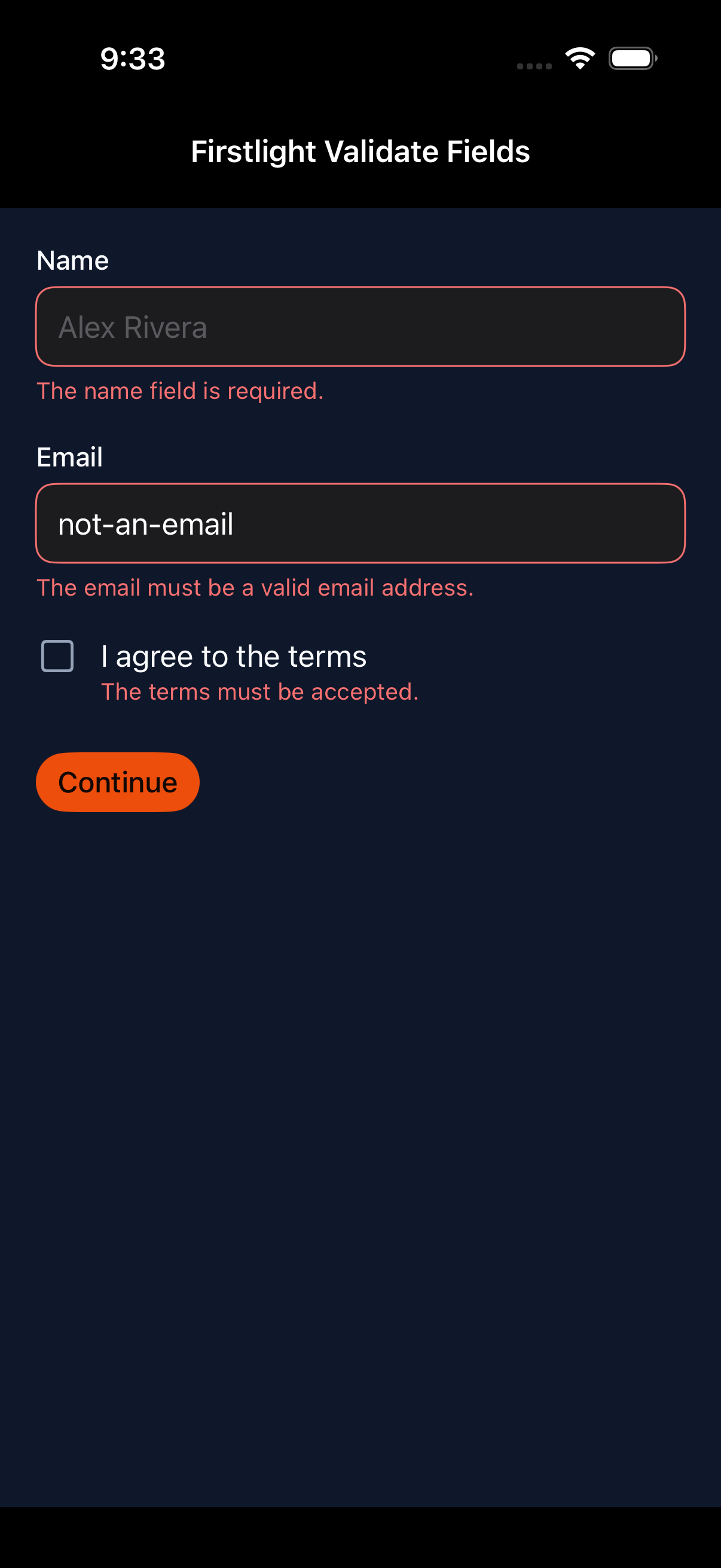
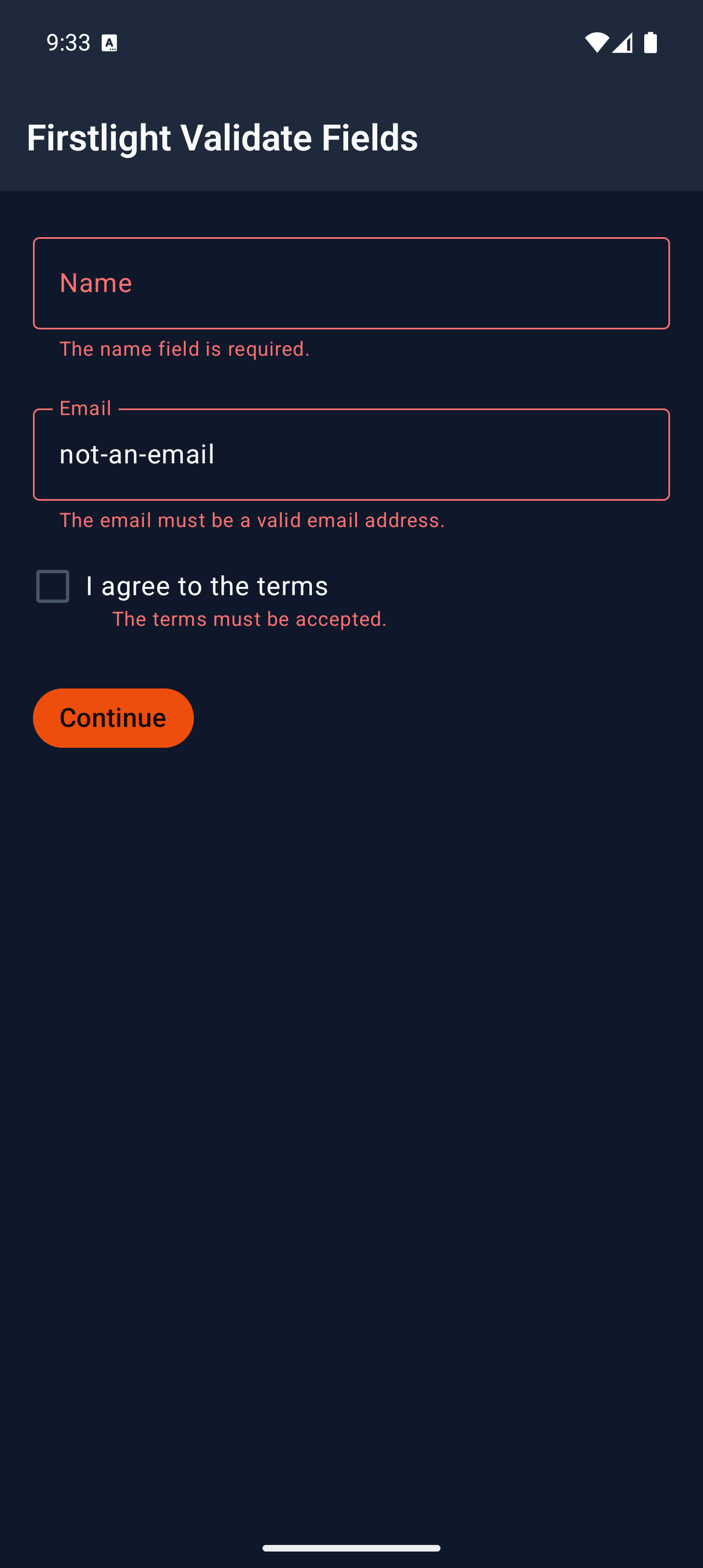
Screenshots
These development screenshots were captured from the dedicated
/captures/validate-fields showcase route. The interactive dogfood screen is
/validation.
| Platform | Light | Dark |
|---|---|---|
| iOS | 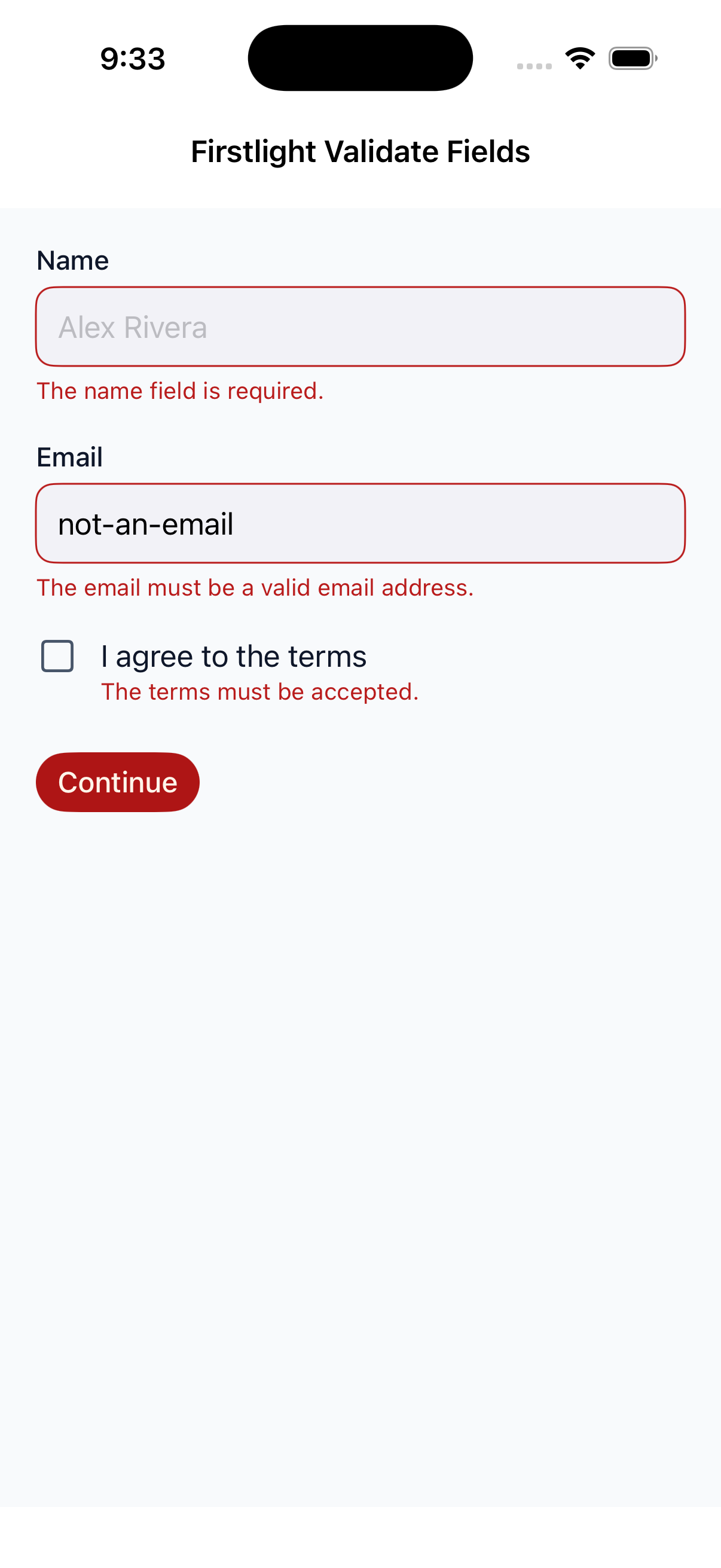 |
 |
| Android | 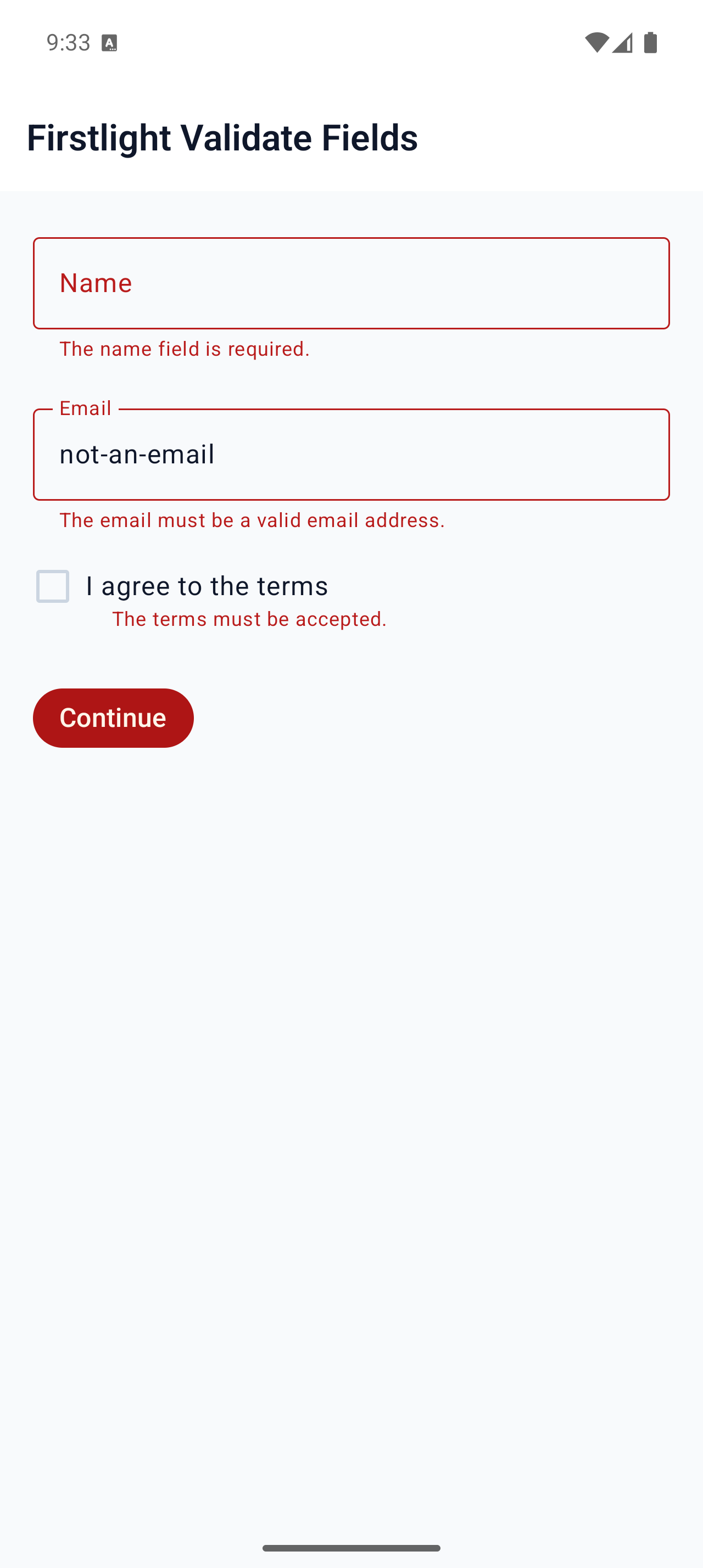 |
 |