Callout
Callout keeps an important semantic message visible in the page layout. It may include one labelled action, but it does not dismiss itself, expire, or enter a feedback queue.
Complete example
<firstlight:callout
    message="Your changes have not been submitted."
    tone="warning"
    action-label="Review changes"
    @press="reviewChanges"
/>
The same tag renders as an idiomatic rounded SwiftUI message surface on iOS and a Material 3 surface on Android.
Props
| API | Accepted type | Purpose |
|---|---|---|
message |
non-empty string |
Required visible message. |
tone |
neutral, info, success, warning, or danger |
Semantic intent. Defaults to info. |
action-label |
non-empty string |
Optional visible action label. Requires @press. The actionLabel alias is also accepted. |
a11y-label |
string |
Replaces the generated accessible message. |
a11y-hint |
string |
Adds supplementary context to the accessible message. |
class |
string |
External EDGE layout utilities. |
Callout owns its semantic symbol. There are no icon, icon-ios, or icon-android props because changing that affordance could contradict the tone.
Events and state timing
@press is the one optional standard action event. It must be paired with action-label and fires once for each completed native button activation.
Callout has no value or model. PHP controls whether it is present and may publish new message, tone, action, or accessibility metadata. Native reconciliation updates the existing stable node without emitting an event.
Persistence and dismissal
Callout remains in its authored position until the next Element Tree omits it. It has no timeout, close button, swipe gesture, dismissible prop, or dismissal event. Use Transient Feedback for brief queued outcomes, Alert Dialog when the user must acknowledge one message, and Confirmation Dialog when work must pause for a confirm/cancel decision.
Disabled, loading, and error behaviour
Disabled and loading states do not apply. Render or omit the action according to application state, and publish the semantic tone that describes the message. Although danger can communicate an error outcome, Callout is not a field-validation control and does not accept error, helper, or required.
Accessibility
Tone is conveyed by a distinct native symbol and by the generated accessible name, such as Warning: Your changes have not been submitted. The icon is decorative to VoiceOver and TalkBack. a11y-label replaces the generated name, while a11y-hint adds context.
The optional action is a separate native button whose visible text is its accessible name. Its target is at least 44 points on iOS and 48 dp on Android. Message text wraps and surfaces grow for Dynamic Type, Android font scaling, and long localisation. Callout is not a live region; persistent content does not automatically interrupt the screen reader.
Validation and failure behaviour
A missing, empty, whitespace-only, or non-string message throws an InvalidArgumentException. Unsupported or non-string tones fail and list the accepted values. action-label without @press, @press without action-label, and blank action labels fail before publication.
Firstlight also rejects model, change, dismissal, title, icon, disabled, loading, validation, navigation, long-press, and visual escape attributes instead of silently inventing behavior. If malformed data reaches a native renderer, it falls back to info and suppresses an incomplete action without crashing.
Platform behaviour
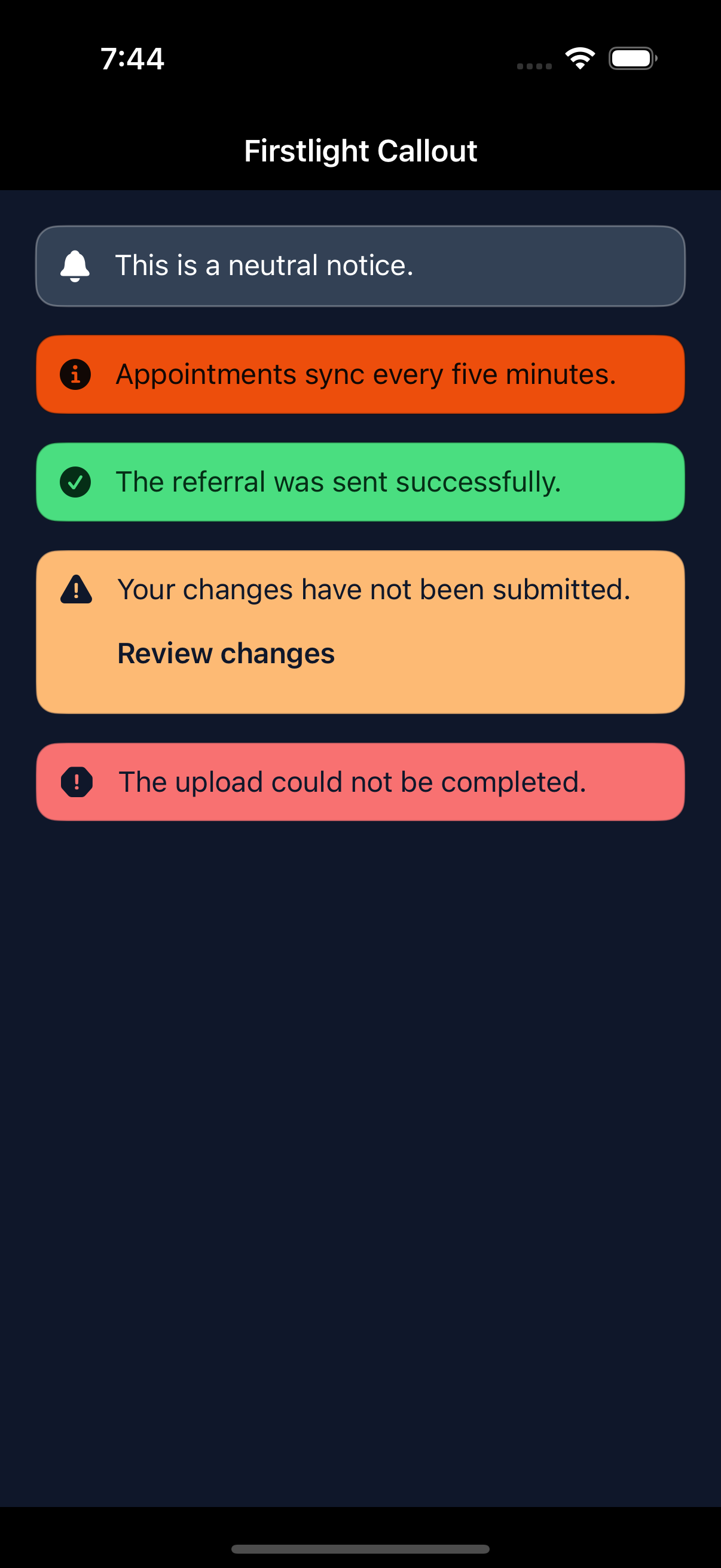
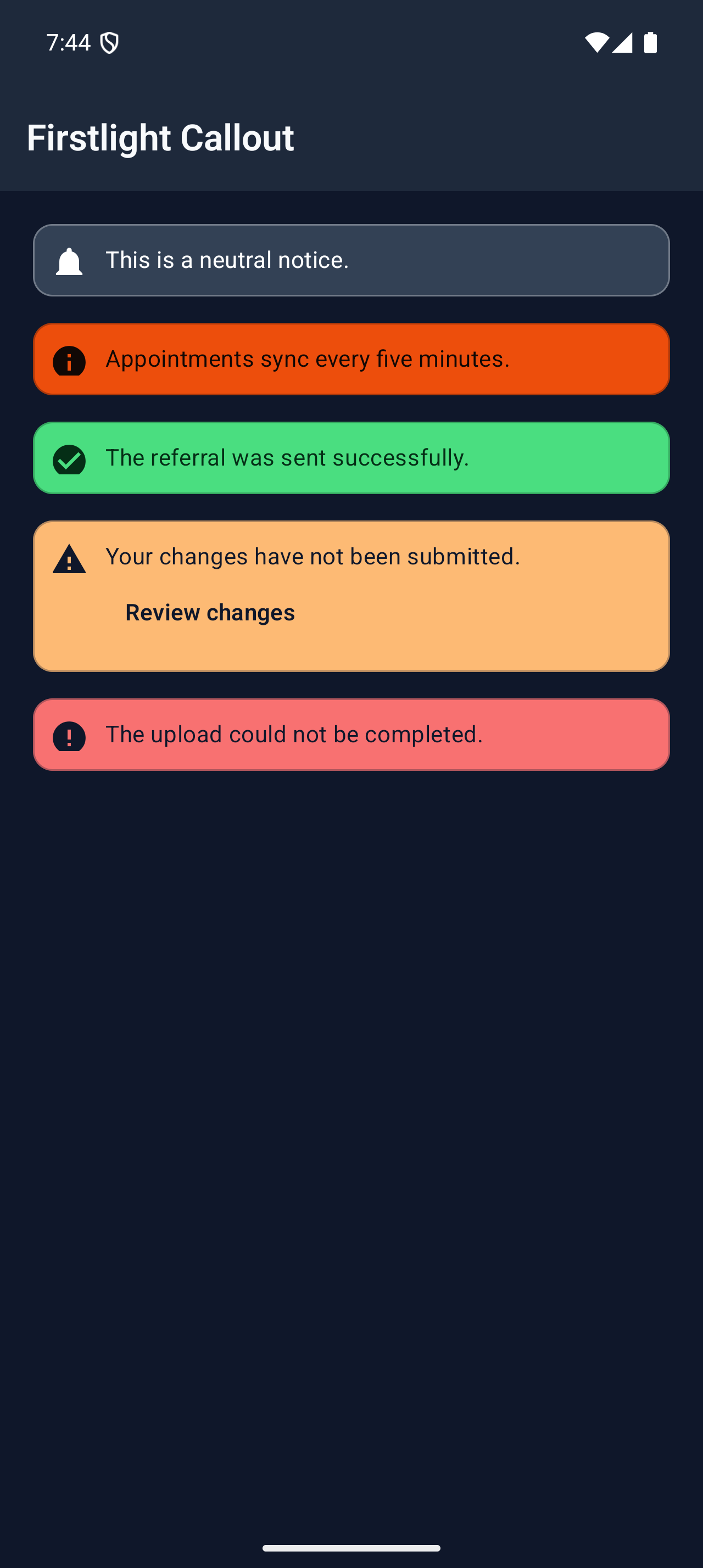
iOS composes SwiftUI Image, Text, and Button with platform typography, a continuous rounded rectangle, VoiceOver containment, and native Dynamic Type. Android composes a Material 3 Surface, icon, text, and TextButton with Material typography and TalkBack semantics.
Both inherit NativePHP semantic theme tokens and preserve native dark mode, increased contrast, focus, activation feedback, and right-to-left layout rather than forcing pixel parity.
Compatibility
Callout supports the versions listed in the current compatibility reference. The host application must compile both Firstlight-owned native renderers declared by the package manifest.
Screenshots
These development screenshots were captured from the dedicated /captures/callout showcase route on an iPhone 16 Pro Simulator running iOS 18.6 and the Pixel_9_Pro Android emulator.
| Platform | Light | Dark |
|---|---|---|
| iOS | 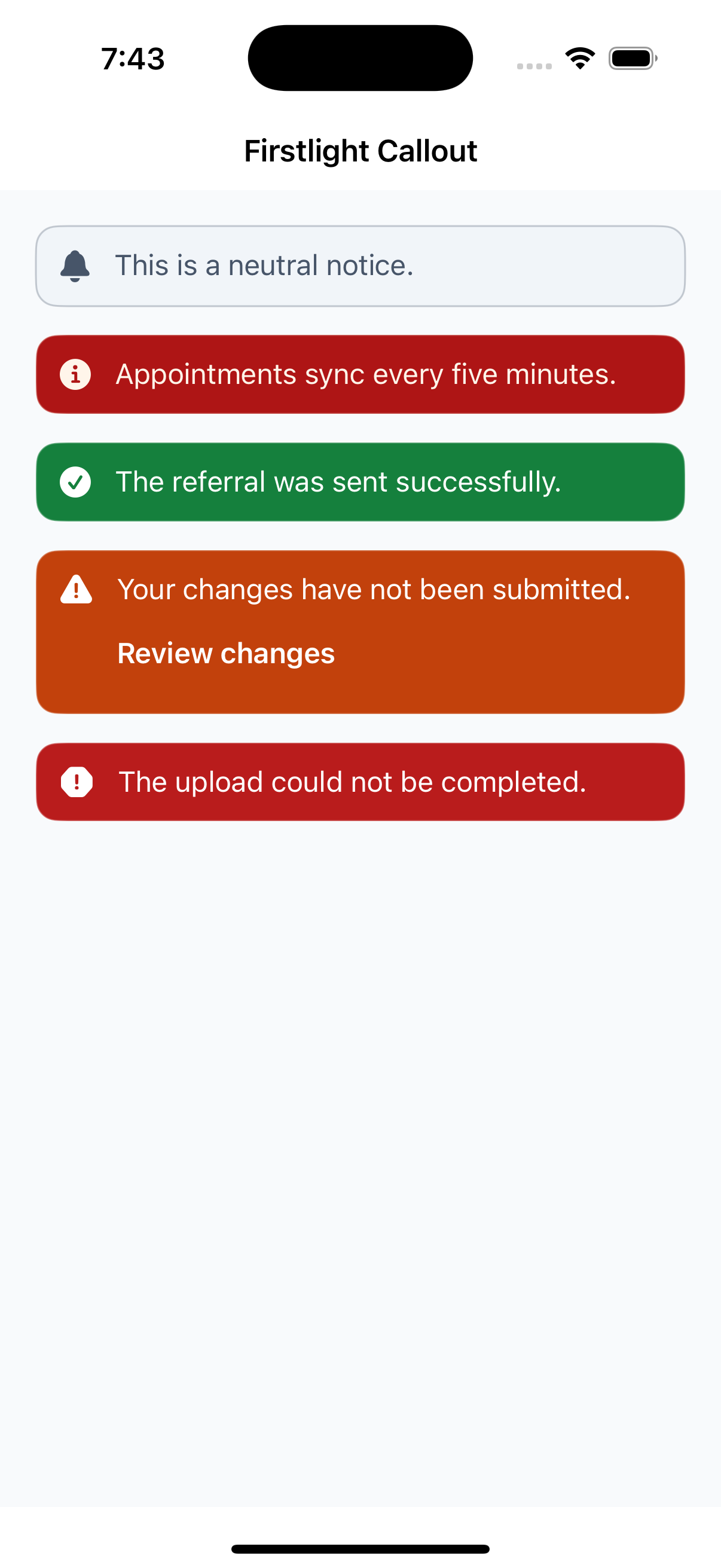 |
 |
| Android | 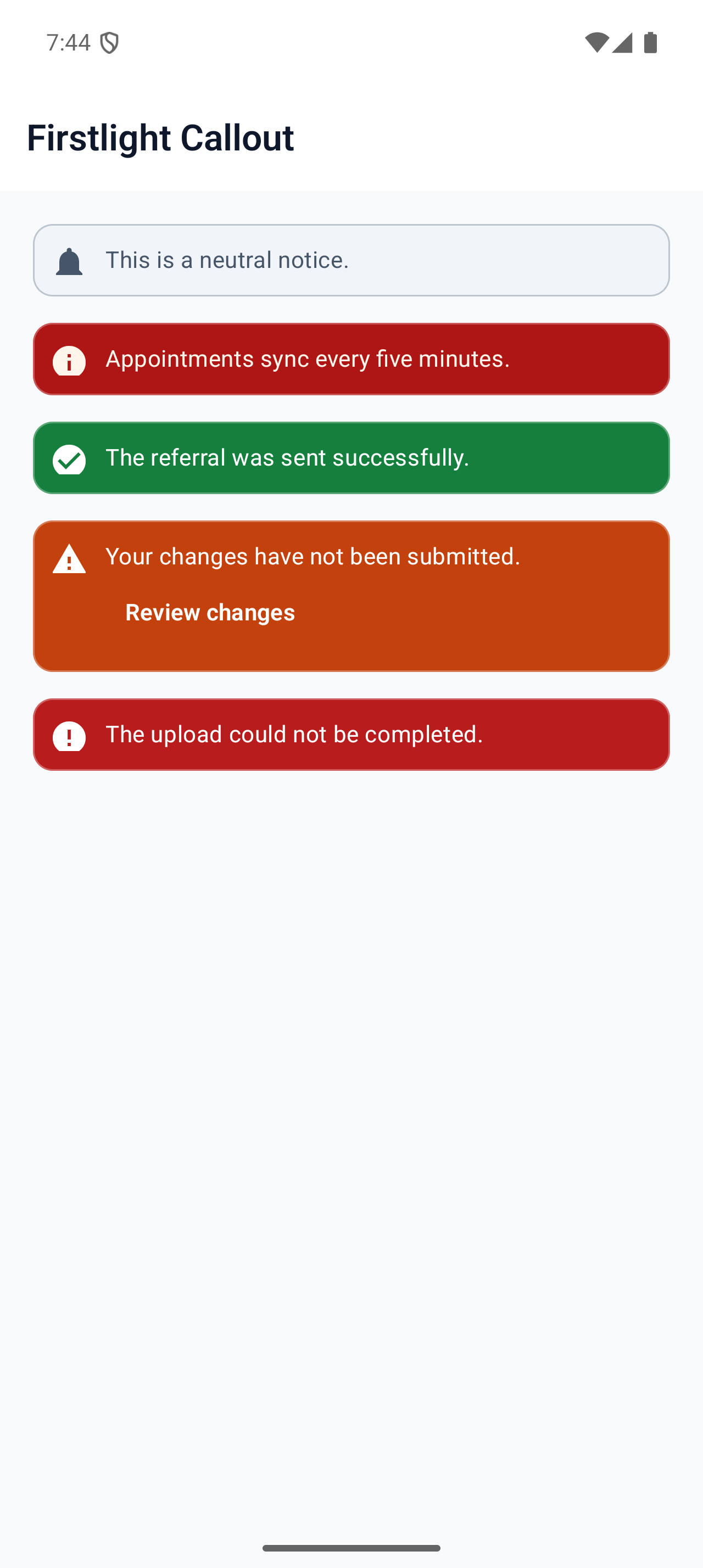 |
 |